FrontierZero vs Microsoft Defender: A Comparison for CISOs Managing Multi-SaaS Risk
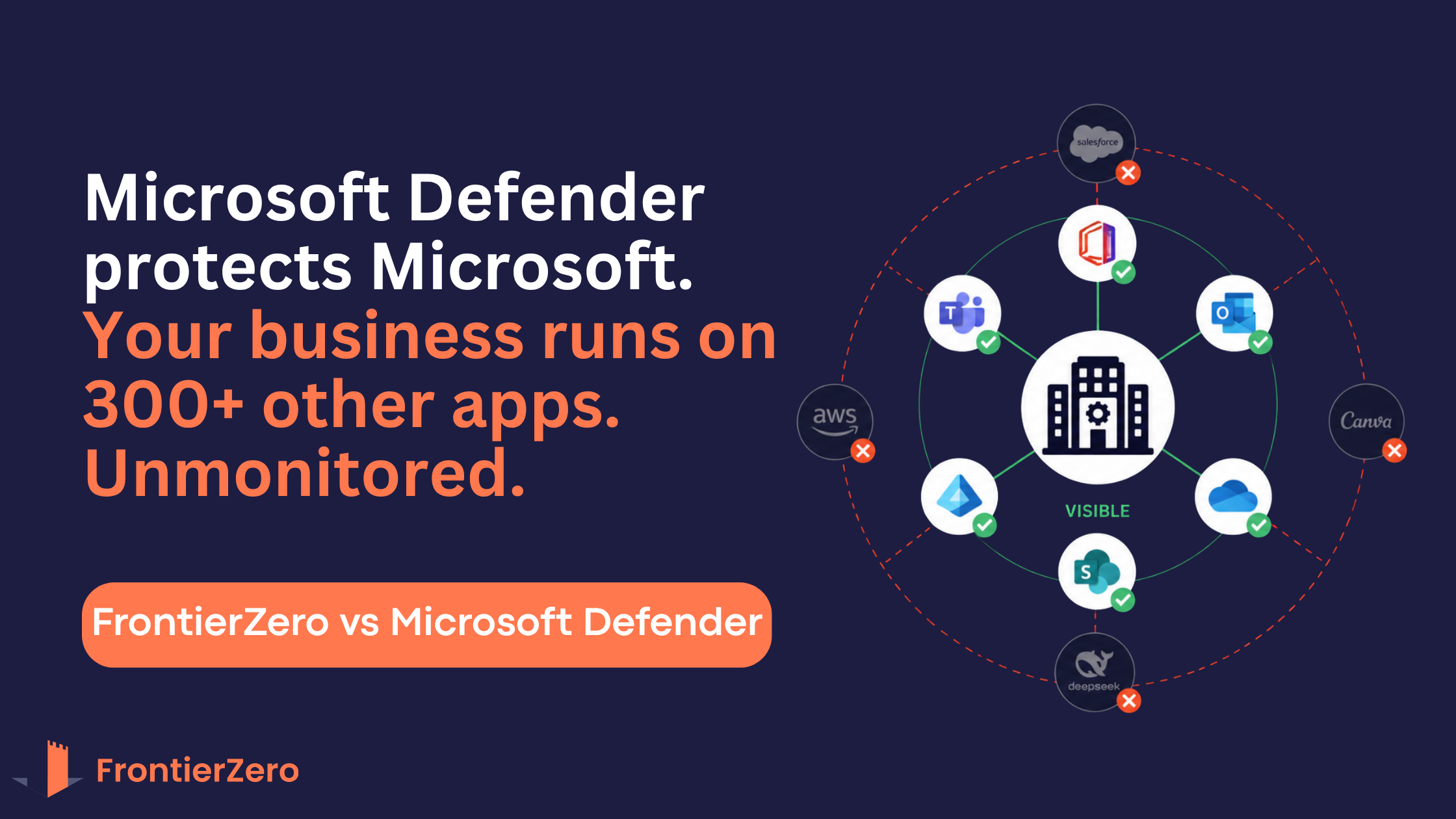
Your organization manages over 300 applications. Your IT team has locked down Microsoft 365 perfectly. Yet attackers are still getting in through HubSpot, Salesforce, a shadow AI tool, or a forgotten contractor account on Canva. Microsoft Defender isn't the problem. It's just not designed to see beyond the Microsoft world.
This guide breaks down the gap between FrontierZero's identity-first approach and Microsoft Defender's strengths, and where one is critical and the other goes silent.
The Expanded Enterprise Challenge
The enterprise software landscape has transformed. Business units now independently adopt specialized tools, and identity security has become the primary battleground for corporate defense.
Here's the problem: Traditional attacks required technical exploits. Modern attacks don't. Malicious actors grab leaked credentials from the dark web and simply log directly into unprotected applications. No hacking needed.
Microsoft Defender excels at securing the Microsoft suite. But it leaves a dangerous visibility gap for standalone custom software, shadow AI platforms, and decentralized applications bought via credit cards outside of IT control.
FrontierZero acts as a complementary, agentless "identity X-ray" layer that bridges this gap. It unifies your security architecture across all platforms while simultaneously identifying software licensing waste, turning a pure security cost into a cost-reduction lever.
Key Strategic Insights Every CISO Should Know
1. The Vulnerability of External Access
Approximately 60% of data breaches involve third-party vendors or contractors. Yet 96% of companies do not actively monitor suppliers who have direct access to their data.
The cost is massive. Jaguar Land Rover's supply chain breach resulted in £1.9B in economic impact and a 6-week global production shutdown. Qantas exposed 9.9 million passengers. LastPass exposed millions of vault backups. These aren't edge cases—they're the pattern.
The gap: Microsoft Defender automatically creates un-audited guest accounts in Active Directory during file or Teams sharing. It has no mechanism to segment external users by vendor, audit vendor domains, or track when third parties lose access. FrontierZero segments external users by contractor company and continuously audits vendor access patterns.
2. Severe Lifecycle Gaps
Standard IT off-boarding checklists successfully disable Microsoft 365. But 92% of surveyed companies fail to track departing employees or contractors who retain active, persistent logins on decentralized line-of-business applications.
Your offboarding process removes someone from Outlook, Teams, and Entra ID. But that employee still has an active account on Notion, Canva, Figma, and the internal project management tool bought last year by the marketing team. Six months later, they still have access.
The gap: Microsoft Defender has no discovery mechanism for business-owned SaaS platforms outside IT control. FrontierZero agentlessly scans for decentralized, line-of-business software bought via credit cards and flags ex-employees and contractors retaining active sessions.
3. The Cost of Exposure vs. ROI
The global average cost of a data breach is now $4.4M (USD 183 per individual record compromised). Corporate security is a critical financial priority.
But here's what separates FrontierZero from traditional security tools: It addresses this with a dual-value proposition. It hardens identity tracking while actively locating underutilized software licenses, routinely saving organizations up to 40% on their existing SaaS budget.
Most security tools represent pure cost. FrontierZero offsets its cost by cutting licensing waste—something your CFO actually cares about.
4. Rapid Shadow AI Control
Teams are rapidly adopting unauthorized AI extensions (DeepSeek, free versions of ChatGPT, unauthorized API keys). Sensitive corporate data faces immediate exposure risks.
FrontierZero establishes an anomaly-detecting "Pattern of Life" for every internal and external user identity, deploying completely agentless connectivity within 15 minutes to flag abnormal data movements. No agents. No device installations.
Microsoft Defender captures native enterprise app registrations but misses independent, user-password logins to shadow AI platforms. It has no mechanism to detect when someone uploads a confidential database schema to ChatGPT.
Feature Comparison Matrix: Where the Gaps Are
| Breach Detection & Response | FrontierZero (FZ) | Microsoft Defender / M365 Security | Impact on Third-Party Breach Risk |
|---|---|---|---|
| Primary Core Focus | Identity-centric visibility across the entire internal, external, and multi-SaaS landscape. |
Endpoint and configuration posture management strictly within the Microsoft environment. |
The Non-Microsoft Blind Spot: Protects the "Microsoft world," but leaves external business apps unmonitored. |
| Identity Enrichment & Context | Pulls and cross-correlates log files from Salesforce, AWS, SAP, etc., to map a "Pattern of Life". |
Provides standard, siloed sign-in logs restricted exclusively to Microsoft applications. |
Siloed Logs: Failing to see that a compromised password on Microsoft is still active on an unlinked app. |
| Third-Party Access Tracking | Segments external users, groups them by vendor/contractor company, and audits vendor domains. |
Automatically creates un-audited guest accounts in the active directory during file/Teams sharing. |
Supply Chain Breaches: Overlooking third-party supplier access, which led to the JLR and Qantas breaches. |
| Shadow AI & SaaS Discovery | Agentless tracking of decentralized, line-of-business apps bought via credit cards (e.g., DeepSeek, Canva). |
Captures native enterprise app registrations but misses independent, user-password logins. |
Shadow AI Sprawl: Outbound corporate data leaks originating from unauthorized AI tool adoption by teams. |
| In-House App Integration | Ingests standalone application logs to run behavior analytics and enriches SIEM/SOC platforms. |
Relies heavily on SSO, Entra ID, or Active Directory integrations to track user sessions. |
Fragmented Alerts: Relying on manual application logs and disconnected email alerts sent directly to the SOC. |
| Time to Value & ROI | 15-minute setup with zero agents, offering localized compliance (NCA) and up to 40% cost savings. |
Extended enterprise deployment timelines; focuses on posture metrics rather than cost optimization. |
CFO Alignment: Security tools typically represent a pure cost, whereas FZ offsets its cost by cutting licensing waste. |
Non-Microsoft Product Visibility & Identity Enrichment
The FrontierZero Approach
Agentless connectivity pulls and enriches identity logs across your entire multi-SaaS ecosystem: Salesforce, AWS, SAP, Workday, and everything else. By cross-correlating these disjointed log files, FrontierZero builds a cohesive "Pattern of Life" to catch critical security blind spots.
Example: An employee updates their primary Microsoft password after a breach. But they leave a leaked, unconfigured password active on HubSpot. Microsoft Defender sees the password change in Azure AD. It has no idea the old password is still live elsewhere.
FrontierZero sees both. It correlates the change, detects the stale credential, and flags it for remediation.
The Microsoft Defender Reality
Microsoft Defender monitors the native Microsoft environment exceptionally well. But it's inherently limited to that ecosystem. Standard sign-in logs lack cross-application context, leaving the tool blind to identity risks occurring inside non-Microsoft environments that aren't natively connected via SSO.
Many organizations fall into a false sense of security, believing Microsoft covers their entire footprint. This leaves massive blind spots in independent, department-bought business applications where hackers use dark web credentials to simply log in undetected.
Standalone & In-House Application Integration
The FrontierZero Approach
FrontierZero ingests standalone and in-house application logs: custom-built internal corporate platforms, legacy systems, and proprietary tools directly into its threat detection engine. It normalizes this standalone data to run user behavior analytics and seamlessly feeds enriched alerts into your central SIEM or SOC (Microsoft Sentinel, Splunk, etc.).
Your custom CRM handles customer payment data. Your internal compliance platform stores audit logs. FrontierZero monitors all of it with the same rigor as your cloud apps.
The Microsoft Defender Reality
Microsoft Defender relies heavily on Entra ID, Active Directory, or standard single sign-on (SSO) configurations. For standalone or custom in-house applications that don't support these modern integration protocols, Microsoft tools cannot natively track individual user sessions.
Custom in-house systems routinely handle proprietary data but slip under the radar of enterprise security perimeters. This forces security teams to rely on local application logs, manual audits, and fragmented email alerts sent to the SOC, exactly the opposite of centralized, real-time monitoring.
Off-boarding and Lifecycle Management
The FrontierZero Approach
Agentless discovery scans beyond the standard IT directory to automatically find decentralized, line-of-business (LoB) software bought via credit cards like Canva, DeepSeek, Notion, project management platforms, design tools, etc.
FrontierZero continuously flags ex-employees and third-party contractors who retain active sessions across these peripheral systems long after their primary corporate accounts are closed.
Your offboarding checklist removes someone from 5 systems. FrontierZero finds the 30 they still have access to.
The Microsoft Defender Reality
Microsoft Defender successfully cuts off access to the core M365 suite and SSO-connected corporate infrastructure during off-boarding. But it has no mechanism to trace or clean up standalone accounts created on business-owned SaaS platforms outside IT control.
Standard IT off-boarding checklists successfully disable Microsoft 365 but miss dozens of business-owned SaaS applications where departing employees or un-audited vendor guest accounts maintain persistent, live access to corporate data.
Why This Matters in Practice
Scenario 1: The Contractor Who Left
Your organization off-boards a contractor on Friday. IT disables their M365 account. Monday morning, the contractor logs into Salesforce using an old SSO-migrated credential and exports the entire customer database to a personal email.
Microsoft Defender: No visibility.
FrontierZero: Flags the login, the off-board mismatch, and the unusual data export in real-time.
Scenario 2: Shadow AI Exposure
Your data science team adopts a free AI tool to prototype model training. They upload anonymized customer datasets to test performance. The platform stores everything forever.
Microsoft Defender: No awareness the tool exists.
FrontierZero: Detects the app, tags it as shadow AI, and alerts when data leaves the network.
Scenario 3: Supplier Compromise
Your marketing vendor's account is compromised. The attacker logs into shared brand assets, customer lists, and campaign plans across multiple tools.
Microsoft Defender: Sees the compromise in Teams sharing.
FrontierZero: Maps all vendor accounts across Figma, Asana, Canva, Google Drive, and more,showing exactly what this vendor can access and what they've actually touched.
The Bottom Line
Microsoft Defender is excellent at what it was designed to do: secure the Microsoft ecosystem. If your organization runs purely on M365, it's a solid choice.
But most organizations don't. They run on 300+ applications. They use Salesforce, AWS, SAP, custom-built systems, and shadow AI tools. They rely on third-party vendors and contractors. And they need visibility across all of it.
FrontierZero complements Microsoft Defender. It bridges the gap. It gives CISOs a unified view of identity risk across the entire SaaS landscape, and it pays for itself by cutting licensing waste.
The question isn't "Should we use FrontierZero instead of Microsoft Defender?" It's "Why would we leave these blind spots unmonitored?"
Ready to See What's Hidden in Your Ecosystem?
Download the full technical comparison guide above to explore every capability in detail, or schedule a 15-minute demo to see FrontierZero scan your own environment.
Your SIEM tells you what happened. FrontierZero tells you what you're missing.